Back to Home
Workflow Detail
Step 2: Deploy Sites
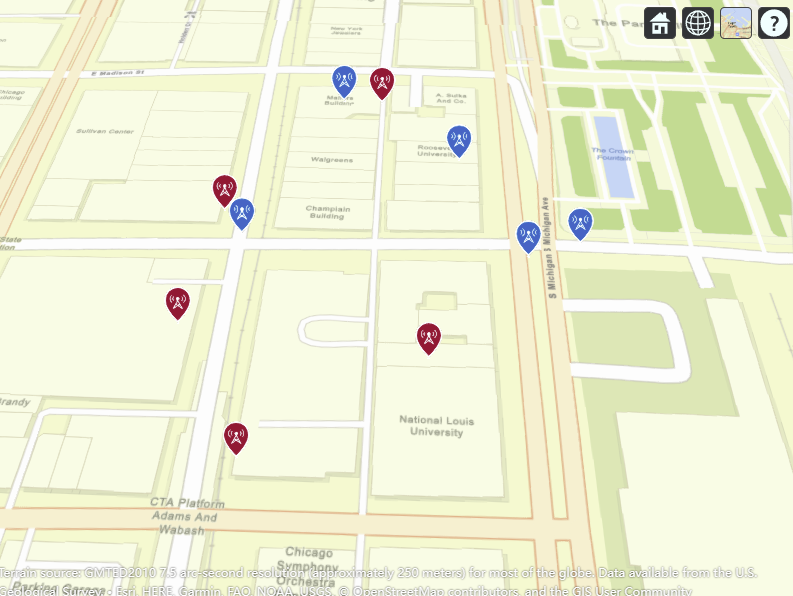
Create and manage Tx/Rx nodes through manual input, random generation, or uploaded files.
Tx/Rx Nodes
Random Sites
MAT Import
Mapped MATLAB Functions
- TransmitterAddSiteButtonPushed: creates txsite objects and appends transmitter lists.
- ReceiverAddSiteButtonPushed: creates rxsite objects and appends receiver lists.
- UploadFileButtonPushed: loads .mat site data and splits by SiteType.
- GenerateRandomSitesButtonPushed: builds a 256x256 centroid grid and selectable random-site indices.
Recommended UI Sequence
- Add one or more transmitter sites with frequency/power/height.
- Add receiver sites with sensitivity settings.
- Use random-site mode for fast scenario bootstrapping.
- Validate site placement on the geo map before simulation.
Site definitions are reused by coverage maps and trajectory signal simulation modules.
Next workflow step: run coverage and trajectory simulations.
Go to Step 3